 BubbleJournal
Move your MacDive logbook to BubbleJournal: every dive, on the web and on Android
Updated October 19, 2026
MacDive keeps your dives on a Mac and an iPhone. Export them once and BubbleJournal brings in every dive, to read in any browser and on Android as well, beside the dives you download from any other computer.
How to move them
- In MacDive on your Mac, select the dives to move, or all of them.
- Choose Export, then Selected Dives as XML, and save the file.
- In BubbleJournal, open Import dives and choose the file.
BubbleJournal reads .xml files, many at once or as a zip, and keeps each exactly as uploaded.
What comes across
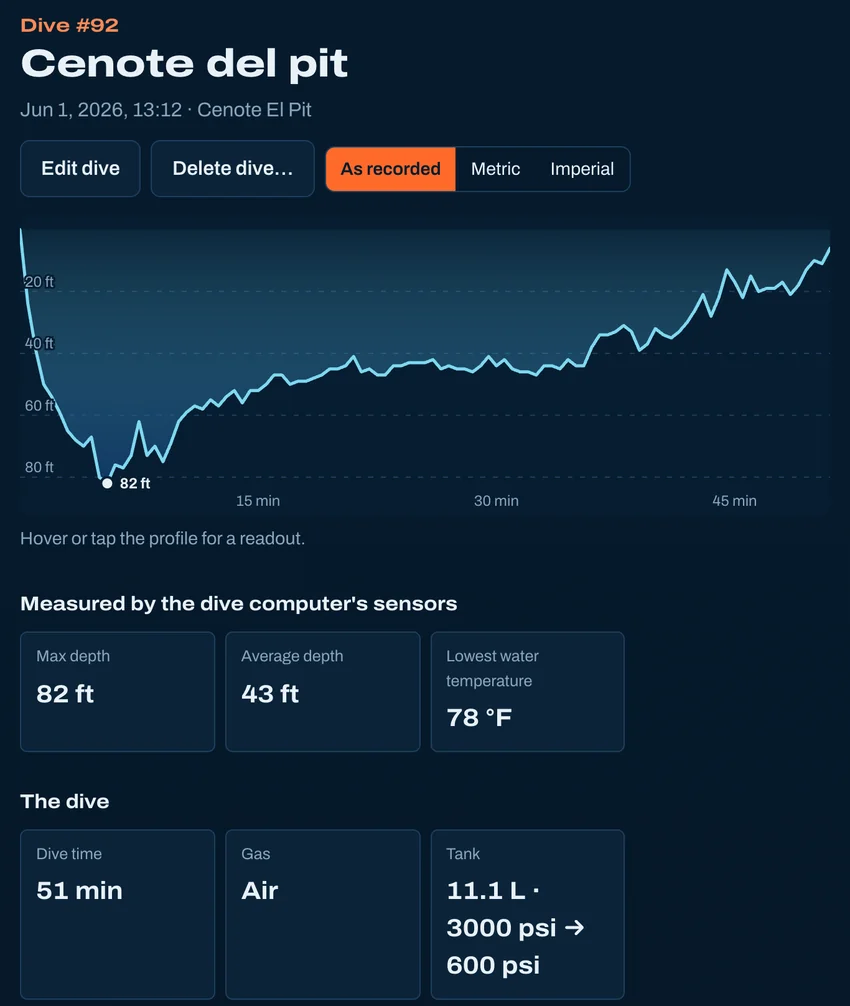
- Every dive, with its depth profile and water temperature, in metric or imperial as MacDive saved it
- Gases and gas switches, and on a rebreather the ppO2
- Tanks: size, gas and start and end pressures, so dives show their air consumption (SAC)
- The computer's own NDL through the dive
- The dive site with its country, location and GPS position, and your notes
- Which dive computer recorded each dive, and dives you entered by hand
What doesn't
- Buddies, rating, visibility, weights, gear and tags stay in MacDive for now.
- Photos linked to your dives in MacDive.
Other ways to bring dives in
- From Subsurface
- From a spreadsheet
- From UDDF
- From divelogs.de
- From a paper logbook
- Straight from your dive computer
Moving from another logbook · Keep your dives in BubbleJournal, free